Item Info
In this task, you can view many properties and adjust some parameters for the products and accessories in your current planogram project. Adjustments made in this task only apply to the selected items in the current planogram, but they don't change the source products and accessories in the database.
For example, you can set how many instances of any selected product are placed on a given shelf or change the spacing between products.
This task is also where you define and adjust the base properties of the following items: Generic products; because these exist only in the current planogram project, not in your database. cf. Insert generic product.
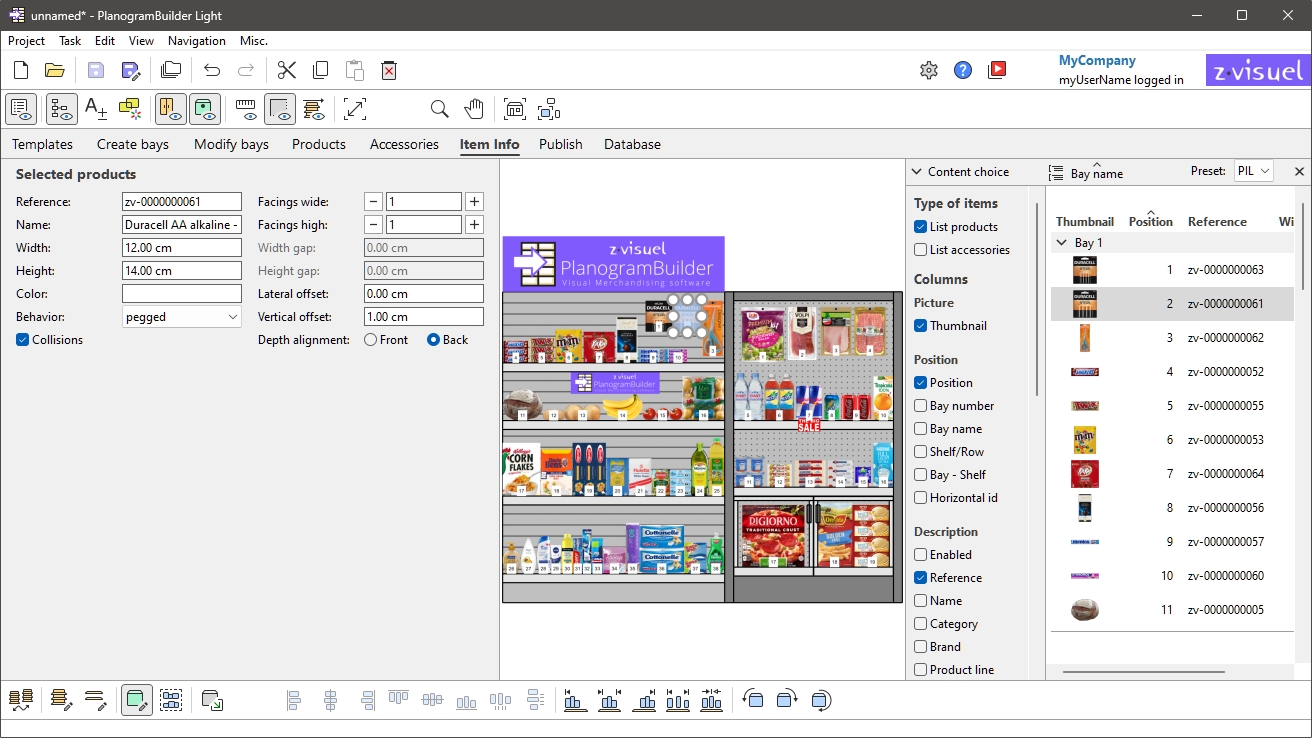
Instructions:
- In your project, Select (Edit products and accessories). Don't mix products and accessories in your selection.
- Switch to Item Info if not already
done. This can be done with two methods:
- Click on the task tab named Item Info.
- Double-click on any product or accessory in the visualization area or in Project item list.
- View or adjust the parameters of the selected item.
Tips:
- If multiple items are selected, the values you enter are applied to all selected items in a single operation.
- If you have a door or panel at the front of your shelving, you may not be able to select any products behind the panel. cf. View front panels for help on hiding these elements.
